
SECTION 01
Stack Selection Comes Down to Three Criteria
When choosing a tech stack for indie development, many people get paralyzed by the sheer number of options. By narrowing your decision criteria down to three, you can drastically reduce the time spent deliberating.
The first criterion is whether you can reuse the same setup repeatedly. If you try a different stack every time, you incur learning costs with each new project, and your completion rate drops.
The second is whether you can ship with a minimal setup first and add more later. If you design with full features from the start, you'll run out of steam before release and the project stalls.
The third is whether you can clearly understand when billing kicks in. If you choose services where the free tier boundaries are unclear, you'll be hit with unexpected costs.
Just keeping these three in mind shifts the tech selection conversation from "what's trending" to "can I actually run this solo." In indie development, a technology you can sustain matters far more than a technology you can use.
SECTION 02
My Current Tech Stack Overview
I've built over 40 services as an indie developer, and through all that trial and error, I've arrived at a setup I now use almost consistently.
On the web side, I use a Next.js setup where both frontend and backend are handled in one project. Since API routes fit within a single project, there's no management overhead from splitting repositories.
On the app side, I use React Native with Expo. Combined with Expo, the developer experience is smooth, and I can ship to both iOS and Android from a single codebase.
Here's the breakdown of my service layer:
- Hosting: Vercel
- Database: Neon (Postgres)
- Auth: Neon Auth
- Email: Resend
- Storage: Cloudflare R2
- Payments: Stripe
- Mobile billing: RevenueCat
Email delivery, storage, and payments are built in from the start. With AI assistance now significantly lowering implementation difficulty, including everything from the beginning adds minimal burden.
The reason I've settled on this combination is that I prefer services that are CLI-friendly and simple. Services with complex admin panels become stressful to operate solo, and they also affect compatibility with AI agents, which I'll discuss later.
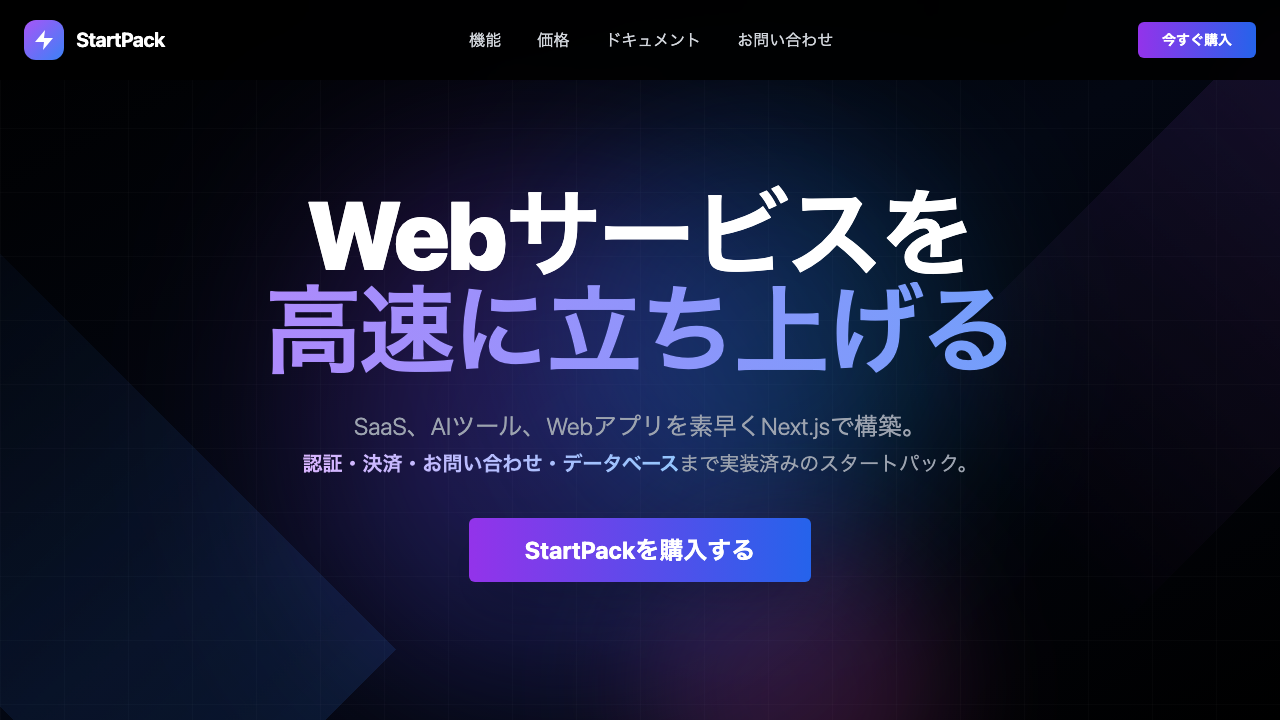
Since I frequently build with this setup, I created a boilerplate that bundles everything together.
StartPack
Build SaaS, AI tools, and web apps quickly with Next.js. A starter pack with auth, payments, contact forms, and database already implemented.
SECTION 03
Narrow Your Initial Setup to This — The Minimum Stack to Ship
When starting a new service, my basic principle is to never make the initial setup heavy. The instinct that overloading early kills completion is something I've learned from many failed projects.
To get something working and shipped, I use only Vercel + Neon + Neon Auth. These three cover the bare minimum for a web app — page rendering, data persistence, and user authentication.
Authentication in particular is the point where indie developers get stuck the most. Building it yourself takes far more time than expected, and there are many security considerations, so how quickly you can handle this directly impacts your completion rate.
For auth, I recommend Neon Auth. Since database and authentication are handled by the same service, the initial connection setup and deployment process stay simple. You no longer need to sign up for a separate auth service and juggle between admin panels, making it ideal for a solo setup.
Features like email delivery, storage, and payments also have a much lower barrier to integration now with AI assistance. Things I would have previously deferred with "decide after shipping" can now be included from the start in many cases.
Holding onto this "ship quickly with a minimal setup" mindset while including everything where AI can compress the implementation cost from day one — this balance is the core of sustaining solo operation. Time spent on services you never finish doesn't come back.
SECTION 04
Frontend: Lock In Tailwind CSS + shadcn/ui and Eliminate Indecision
For frontend styling, I've locked in the combination of Tailwind CSS and shadcn/ui. This eliminates the time spent comparing CSS libraries every time, and speeds up the start of each project.
What makes shadcn/ui special is that the component code gets copied directly into your project. Instead of depending on a library, you have the code locally, which gives you high customization freedom and low risk of breaking changes from updates.
Here are the factors I prioritize in frontend selection:
- Can I avoid recurring learning costs: Using a different UI setup each time slows down project starts
- Is it AI-compatible: Technologies with more users produce higher accuracy from AI outputs
- Can I reuse components: A setup where I can pull from past projects is ideal
There was a time when I changed UI frameworks for every project. The accumulated overhead of re-reading documentation each time led me to conclude that standardizing the setup is simply faster.
It's tempting to think "more choices = better," but in indie development, reducing choices is itself productivity. While you're deliberating, you're not writing a single line of code.
SECTION 05
Database and Infrastructure: A Setup Built Around Neon and Cloudflare
For the database, I've standardized on Neon (Postgres). Since it's PostgreSQL-based, my existing knowledge transfers directly, and because it runs serverless, I don't need to worry about managing scale.
One reason I choose Neon is the transparency of its cost structure. In indie development, the natural flow is to start within the free tier and move to a paid plan as users grow, so choosing a service where it's clear when billing kicks in is crucial.
On the infrastructure side, a setup that combines Cloudflare has become my standard. Cloudflare has a generous free tier and is extremely friendly to indie developers.
For example, in my project "KingCoding," I adopted Cloudflare Tunnel. It's a pattern where Vercel handles the frontend while Cloudflare handles the infrastructure side.
Here's a summary of why this setup works well for indie development:
- Vercel brings deployment overhead close to zero: A git push is all it takes to deploy to production
- Cloudflare R2 keeps file and image delivery costs down: No egress fees
- Neon eliminates database start/stop concerns: Serverless means low idle costs
When you assume long-term solo operation, a setup that doesn't increase the number of services is essential. The overhead of switching between admin panels grows exponentially as services multiply.
SECTION 06
Mobile Billing: Centralize iOS/Android Management with RevenueCat
When adding billing to mobile apps, I use RevenueCat. The biggest reason is that it lets me centrally manage a billing foundation that supports both iOS and Android in a single service.
Splitting billing implementations per platform makes ongoing operations cumbersome. Writing receipt validation and subscription state management separately for each is simply not realistic for one person to maintain.
Here's the actual flow I follow:
- Submit to stores: Submit the app to both App Store and Google Play
- Closed testing: Verify the billing flow in a limited release
- Test on real devices: Run through purchase, restore, and cancellation in the test environment
By locking in this flow from the start, I don't need to recall the steps every time I ship a new app. In indie development, templating your processes directly translates to speed.
Since submitting to the App Store and Google Play is a pain every time, I built a service that creates PR screenshots.
STOPRO
Just upload your screenshots and AI automatically generates store listing designs. Supports both iOS and Android.

Billing is also an area prone to review rejections. Relying on proven services to reduce implementation uncertainty is a practical decision for continuously shipping solo.
SECTION 07
Stack Selection in the AI Era — A New Criterion Directly Tied to Development Speed
A new criterion — "how well does AI handle this technology" — has been added to tech stack selection. I deeply integrate AI into my entire development flow, and this criterion directly influences my stack choices.
Technologies where AI produces high-accuracy output share common traits: rich type information, well-maintained documentation, and a large community. Choosing technologies that meet these conditions visibly improves the accuracy of AI code generation and refactoring.
Here are the specific selection criteria that work well with AI:
- TypeScript + Next.js: Rich type information helps AI generate accurate code
- Tailwind CSS: Class-name-based approach makes it easy for AI to specify styles
- PostgreSQL: Its long history means it's well-represented in AI training data
Conversely, technologies that are too new tend to reduce AI response accuracy — that's my practical experience. The urge to jump on the latest framework is real, but choosing technologies that AI can't handle accurately just means more time spent researching on your own.
Another important point is the reason for choosing CLI-based services. When you set up a configuration where AI agents can execute commands for deployment and configuration changes, development workflow automation advances significantly. AI can't handle click-through operations in admin panels.
Since integrating AI-powered editors into my entire development flow, I've felt that productivity has fundamentally changed. Stack selection and AI utilization are now an inseparable relationship.
SECTION 08
Common Failure Patterns in Stack Selection
Including my own past failures, let me organize the recurring patterns in indie dev stack selection. These are worth knowing before you fall into the same traps.
The most common pattern is choosing new tech based on curiosity and failing to meet functional requirements. If you start when the technology you want to try and the thing you want to build don't align, you'll realize mid-project that "this tech can't do what I need" and stall out.
The next most common is changing your stack every single time. Choosing different technologies for each new project is fun, but learning costs pile up with every launch and you never reach full development speed.
Here's a summary of common failure patterns:
- Choosing based on interest: Learning goals and development goals get mixed up
- Changing every time: Knowledge never accumulates, and you stay at beginner speed forever
- Making it too heavy: The setup becomes complex and stalls before release
- Not understanding costs: You exceed free tier boundaries and get hit with unexpected bills
The failure of overcomplicating your setup directly impacts completion rate. Adopting a microservices architecture or adding a cache layer from the start just leads to more abandoned services that one person can't maintain.
Unexpected charges from free tiers can't be ignored either. If you don't understand which operations on which services trigger billing beforehand, maintenance costs will spike the moment users start growing. Confirming the cost structure at the stack selection stage is a prerequisite for sustaining solo development.
SECTION 09
The Philosophy of Evolving While Repeating the Same Setup
When you hear "lock in your stack," you might worry that growth will stagnate. But in reality, repeating the same setup creates room to explore the deeper aspects of each technology.
When you learn a new stack from scratch every time, you tend to only scratch the surface. It's precisely because you use the same technology repeatedly that you develop instincts for edge cases and performance tuning. That ultimately accelerates your development speed.
Here's what I keep in mind to evolve while keeping the core setup fixed:
- Don't change the core: Maintain the Next.js + Neon + Vercel foundation as-is
- Swap out the periphery: Try new services in easily replaceable layers like email delivery and storage
- Cross-pollinate learnings: Apply improvements from one project to all others
"Whether you can repeat the same setup" was one of the first decision criteria I mentioned. You can't know if a setup holds up to repetition until you've actually used it across multiple projects. That's why there's value in establishing your go-to stack early on.
There's no single right answer in tech selection, but there is a clear line between what one person can and cannot sustain. If you can't finish, even the best technology is meaningless. Start by shipping with a minimal setup, and if it gains traction, build from there. This cycle is the foundation for sustaining indie development.