
SECTION 01
Codex Pricing Structure: What Costs What
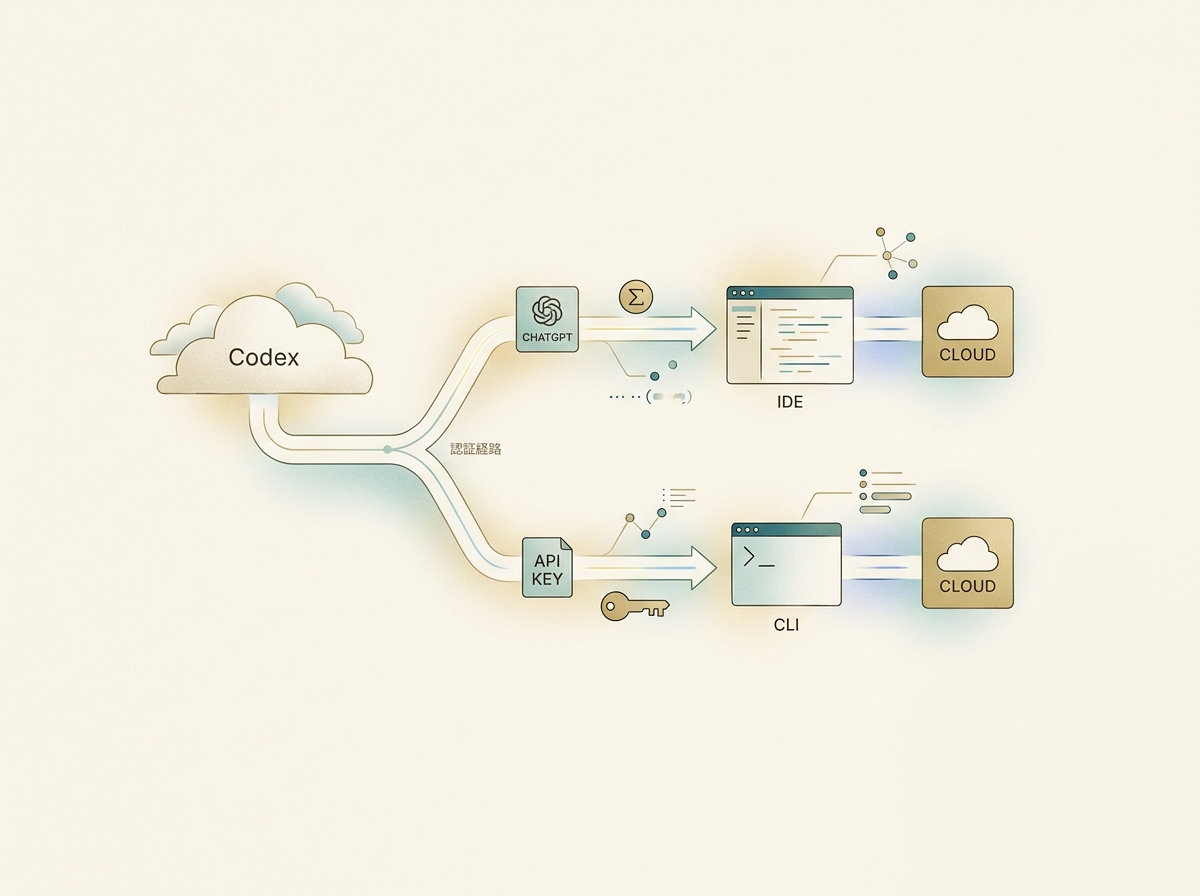
To understand Codex pricing, you first need to know that there are two authentication and billing paths.
- ChatGPT subscription auth: Sign in through ChatGPT. You can use Codex within the credits included in your plan.
- API key auth: Pay-as-you-go billing using an OpenAI API key. Each request is charged based on token consumption.
The key point is that Codex CLI and IDE extensions work with either authentication method. Switching to the CLI doesn't automatically mean you're on pay-as-you-go billing. The CLI and IDE are simply "client interfaces"—your billing path is determined by how you sign in.
On the other hand, Codex cloud (browser-based Codex) requires ChatGPT sign-in.
(Reference: Authentication – Codex | OpenAI Developers)
Current Plans and Codex Access (as of April 2026)
As of April 11, 2026, Codex is available on the following plans.
| Plan | Monthly Price (excl. tax) | Codex Access | Notes |
|---|---|---|---|
| Free | $0 | Available for a limited time | Limited usage quota |
| Go | $8 | Available for a limited time | Larger quota than Free |
| Plus | $20 | Available | Standard choice for solo developers |
| Pro | $100+ | Available (higher quota) | Multiple tiers available |
| Business | Varies by seat type | Available | See below |
| Edu | For educational institutions | Available | For students and faculty |
| Enterprise | Contact sales | Available (maximum quota) | For large organizations |
The Business plan offers two types of seats. A "standard ChatGPT seat" for regular ChatGPT features, and a "usage-based Codex seat" that charges based on Codex consumption. You can choose the seat type based on your needs.
Note that the former "ChatGPT Team" plan was renamed to "ChatGPT Business" on August 29, 2025.
(Reference: What is ChatGPT Business? | OpenAI Help Center)
SECTION 02
The Realistic Limits of Free Usage
You can try Codex on the Free or Go plan for a limited time, but honestly, the free tier isn't enough for sustained, practical use. It's fine for a quick test drive or checking whether Codex fits your workflow.
However, if you try to use the free tier for serious development, you'll hit the ceiling fast. Especially when you factor in not just code generation but also iterative fixes and review requests, it's not unusual to burn through your quota in a single day.
Here's what you should evaluate while on the free tier:
- Whether Codex fits your development style
- Whether ChatGPT subscription auth or API key auth suits you better
- Gathering enough evidence to decide if upgrading to a paid plan is worth it
Treat the free tier as a trial period, nothing more. Rather than seeing how far you can stretch it for free, it's more efficient to use it as a short evaluation window for deciding whether to go paid.
SECTION 03
Cost Estimates by Usage Level
Codex costs vary significantly depending on the model used, local vs. cloud execution, and task scale. Below, we outline the assumptions for cost estimates at each usage level, for both ChatGPT subscription auth and API key auth.
(Reference: Pricing – Codex | OpenAI Developers)
Light Use (Solo Development a Few Times a Week)
| Item | Estimate |
|---|---|
| Frequency | 2–3 times/week, 3–5 requests per session |
| Primary model | Lightweight models like gpt-5.4-mini (for light coding tasks) |
| Execution environment | Primarily local (CLI) |
| Input tokens per request | ~1,000–3,000 tokens |
| Output tokens per request | ~500–2,000 tokens |
With ChatGPT subscription auth: The Plus plan ($20/month) credits quota is usually sufficient. You can also try the Go plan ($8/month) within its limited-time quota.
With API key auth: At lightweight model rates, monthly consumption stays modest. However, watch out for including an entire codebase as context in a single request—that causes input tokens to spike.
Consciously review your usage during the first month. There's often a gap between how much you think you're using and your actual consumption.
Medium Use (Daily Use for Personal or Side Projects)
| Item | Estimate |
|---|---|
| Frequency | 5–15 requests per day |
| Primary model | Lightweight models like gpt-5.4-mini (daily tasks) + premium models (complex implementations) |
| Execution environment | Mix of local and cloud |
| Input tokens per request | ~2,000–10,000 tokens |
| Output tokens per request | ~1,000–5,000 tokens |
With ChatGPT subscription auth: The Plus plan may run short on credits during intensive development days. If you use it daily, the Pro plan ($100+/month) is less likely to leave you hitting limits.
With API key auth: Choosing premium models raises the per-request cost, and the more review-and-fix round trips you make, the faster tokens accumulate. Setting a monthly spending cap is essential.
I once went through a phase where I had multiple AI coding tools all on their top-tier plans running in parallel. The more I got used to powerful models, the more I requested, and before I knew it I was in a daily cycle of burning through extra credits.
Designing the balance between flat-rate plan limits and API pay-as-you-go billing on a monthly basis is the key to stable medium-level usage.
Team and Enterprise Use
| Item | Estimate |
|---|---|
| Frequency | Each team member uses it daily |
| Primary model | Standardized by team policy or at member discretion |
| Execution environment | Local + cloud (including Codex cloud) |
| Billing unit | Per-seat under the Business plan |
The Business plan lets you mix standard ChatGPT seats and usage-based Codex seats. Rather than assigning Codex seats to everyone, you can reduce waste by giving usage-based seats only to members who actually use Codex heavily.
On the management side, setting budget caps and making usage visible is especially important. Individuals can self-regulate, but on a team, someone's overuse might not surface until the end-of-month invoice.
Key items to verify for team adoption:
- Can you set per-member usage limits?
- Can admins monitor consumption in real time?
- Is the split between standard seats and usage-based seats appropriate?

When seeking budget approval, a "start small and test first" proposal is easier to get approved. Rather than provisioning usage-based seats for everyone, validating with a small group first and expanding gradually makes the ROI argument much stronger.
SECTION 04
Patterns That Cause Unexpected Billing Spikes and How to Prevent Them
This applies to AI coding tools in general: higher-performance premium models and fast modes tend to consume credits much faster. That said, cheaper mini/nano models do get added, and existing plan prices get revised, so "newer models are always more expensive" isn't necessarily true.
(Reference: Pricing | OpenAI API)
From my own experience, using a top-tier model in one IDE tool burned through my credits almost instantly, even on a premium plan. The output quality is so good that you can't stop asking for "one more pass" and "fix this part too."
Here are the specific patterns that cause billing spikes:
- Including an entire large codebase as context in a single request (sudden spike in input tokens)
- Going through many rounds of review and revision (cumulative output tokens)
- Sending the same request to different models for comparison
- Running heavy tasks consecutively in cloud execution
Setting a budget cap in advance is the most reliable safeguard. For API key auth, you can set a monthly limit in the OpenAI dashboard. For ChatGPT subscription auth, your plan's credits quota acts as a natural ceiling—but watch out for whether you're purchasing additional credits.
SECTION 05
Cost Comparison with Other Tools
When thinking about Codex costs, it's important to recognize that even for the same use case, costs can differ dramatically depending on the access path and plan.
However, competing tools like Claude Code (Anthropic) and Cursor frequently change their plan structures and included usage. Listing prices at the time of writing is likely to be outdated by the time you read this.
For the most accurate and up-to-date comparison, check each company's official pricing page directly:
- Codex / OpenAI: Pricing – Codex | OpenAI Developers
- Claude / Anthropic: Pricing | Anthropic
- Cursor: Cursor's official pricing page
Here are useful criteria for deciding how to split your usage:
- Delegate implementation and code generation to Codex or Claude Code
- Offload questions, research, and brainstorming to lightweight models
- Don't consolidate everything into one tool—split by task type
The question isn't "which tool is cheapest" but "which combination is most efficient." Comparing individual plans alone won't reveal your actual monthly cost.
SECTION 06
How I Moved from All-MAX Plans to a CLI-Centric Setup
I used to run multiple AI coding tools all on their top-tier plans in parallel. Each tool was powerful and hard to give up, but the total monthly subscription cost added up to a significant amount.
The turning point was switching to running Codex and Claude Code directly from the terminal via CLI. I started using a terminal called Ghostty to launch multiple CLIs simultaneously, handling both code generation and edits entirely within the terminal.
The important thing here is that switching to CLI doesn't inherently change your billing method. If you sign in with ChatGPT subscription auth on the CLI, you still use your plan's credits quota. Whether to switch to API key auth is a separate decision.
The changes from this switch were clear:
- IDE subscriptions became entirely unnecessary
- No more paying for tools just to "view" code
- A single terminal lets you run multiple AI tools in parallel
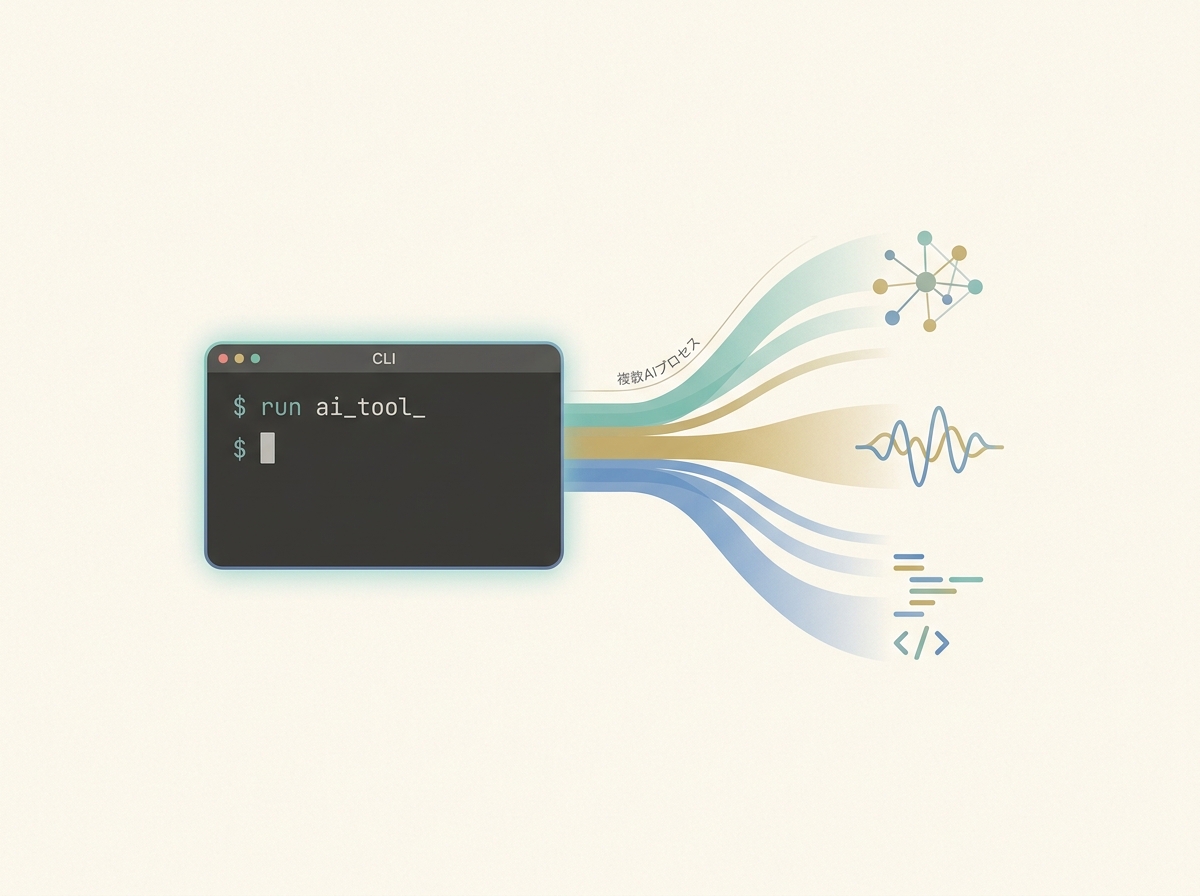
The amount of time I spend visually scanning code has dropped dramatically, so what I need from an IDE has changed. As a side benefit, the entire IDE cost disappeared—and it fundamentally restructured my cost profile.
SECTION 07
How to Choose: The Minimum-Cost Combination to Try First
If you're a solo developer getting started with Codex, starting with the Plus plan ($20/month) on ChatGPT subscription auth is the lowest-risk option. The CLI and IDE extensions also work with subscription auth, so there's no need to jump straight into API key pay-as-you-go billing.
Here's a realistic order for trying things out:
- Use the Free/Go plan's limited-time quota to check Codex's feel and fit
- When the quota runs short, consider upgrading to the Plus plan
- Switch to API key auth only after your usage pattern has stabilized
- For team use, evaluate the Business plan's seat configuration
Expect that the pricing structure will keep changing. By the time you're reading this article, plan details and unit prices may already be different. That's exactly why remembering specific dollar amounts matters less than knowing what to check.
There are only three checkpoints you need:
- Which plan includes the model you want to use?
- For API key auth, where can you set a monthly spending cap?
- Would the same model be cheaper through a different auth path or tool?
Don't try to design a perfect cost structure from day one. Start with the minimum setup, use it for a month, observe your actual consumption patterns, and then adjust. That's ultimately the most efficient approach.
SECTION 08
What to Keep in Mind, Given That Pricing Always Changes
With AI coding tools, it's not unusual for the entire pricing structure to look completely different within six months. Model generations change, new plans appear, and existing plans get merged or discontinued.
That's why understanding the "structure" is more practical than memorizing price tables. ChatGPT subscription auth or API key auth? Where's the credits cap for your plan? How does model selection affect unit price? Once you understand this structure, you can make your own decisions even when pricing changes.
From my experience, the general trend is that premium models and fast modes tend to cost more. On the other hand, cheaper new models do get released and existing plans get repriced, so costs don't always trend upward. Checking each company's official pricing page is the surest way to get current rates.
Finally, keep in mind: don't spend too much time on cost optimization itself. If you're spending hours comparing tools and plans, that time would be more productive spent on actual development. Set a rough framework, review at the end of each month. That level of granularity is just right.