
SECTION 01
The Bottom Line: Is It Repetitive, or Different Every Time?
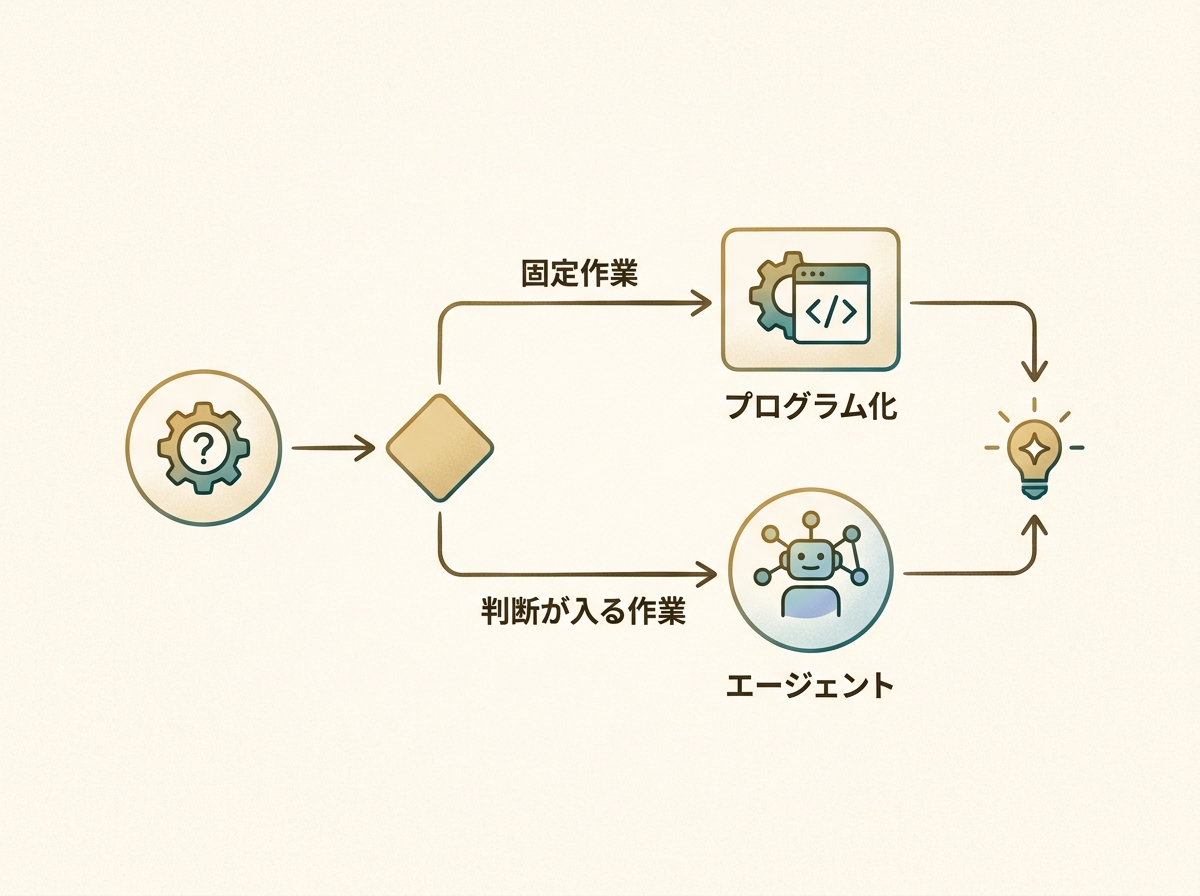
Let me start with the conclusion. Choosing between Claude Code and Claude Cowork comes down to one question: is the task the same every time, or slightly different each time? If it's a fixed, repetitive task, writing a program with Claude Code is the more reliable approach.
On the other hand, tasks that require judgment or where browser actions vary each time are better suited for Cowork. Think of it as delegating tasks to an agent when conditions shift in subtle ways.
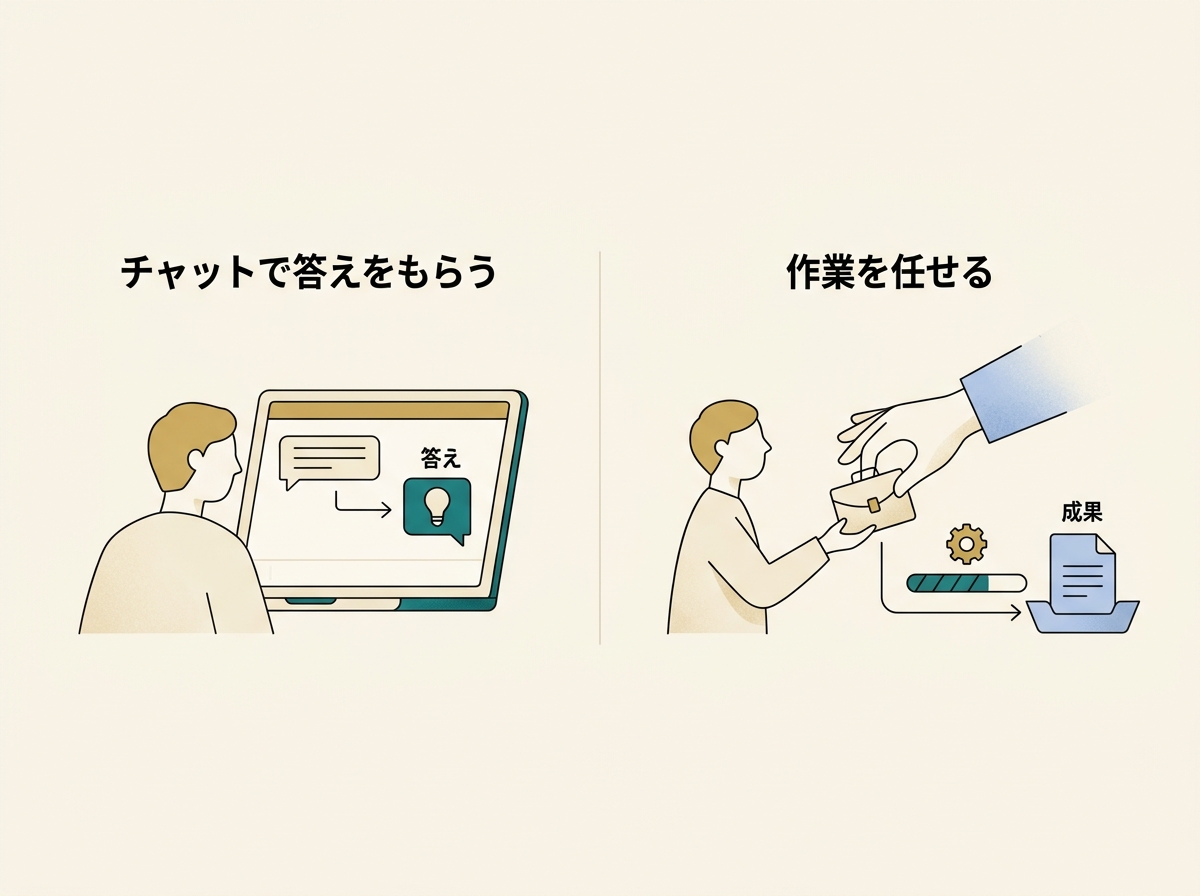
There's another axis to consider: Cowork's value for non-engineers. It's not just about getting answers in a chat — it's about being able to delegate actual work. That shift in experience is significant. Claude Code assumes you can run commands in a terminal, which is a fundamentally different entry point.
For engineers, Cowork's value boils down to visibility. Schedule management, task lists, execution results — having all of these in a unified UI becomes invaluable once you start running tasks in parallel.
In other words, these two tools aren't substitutes — they're complementary. In this article, I'll break down where each one shines, based on concrete experience.
SECTION 02
Where Claude Code Excels: Locking Down Fixed Tasks with Code
Repetitive tasks with a fixed procedure are most reliably handled by writing a program with Claude Code. Rather than asking an agent every time, codifying the process eliminates variability.
For example, I once automated expense reports on Bakuraku (a cloud-based expense management service). You run a command in the terminal, pass it a PDF, and it automatically opens the browser, fills in the fields, attaches the file, and saves — all hands-free. What used to be a tedious manual routine now takes a single command.
The key point is that codifying a task eliminates variability. AI agents are smart, but they can behave slightly differently each time. For fixed tasks, that flexibility actually becomes noise.
I've also built CLIs for other routine tasks:
- Automated daily email delivery pulling from multiple sources like AdMob, YouTube, X, note, and RSS
- Daily report generation combining sub-agents and skills
- Data pipelines for periodic data fetching and formatting
What all of these share is the property of "the procedure is fully defined, and it's the same every time." This is where code reigns supreme — there's no reason to involve an agent.
SECTION 03
Where Claude Cowork Excels: UI Visibility and Accessibility for Non-Engineers
Cowork's strength lies in enabling non-engineers to delegate actual work beyond just chatting. Receiving an answer in a chat and having an agent operate your browser or run tasks on a schedule are entirely different experiences.
AI conversations have become widespread, but the transition from "getting answers" to "delegating work" is the next frontier. Cowork accelerates this shift with features like scheduled execution, result dashboards, and log visibility.
Engineers benefit too. Seeing task lists, schedules, and execution results in a UI becomes essential when running multiple tasks in parallel. When I built KING CODING — a dashboard for managing multiple AI coding agents in parallel by project — I felt this pain firsthand.
Tracking what an agent has completed and what it's currently doing — that overhead is deceptively large. When you run tasks in parallel, the review work floods in at the same pace. "Review fatigue" emerges as a new bottleneck.
The need for agents with a management UI is something I've felt deeply from trying to build that exact system myself. Just having a list view dramatically reduces cognitive load.
Cowork is especially well-suited for situations like:
- Browser tasks where conditions vary slightly each time
- Tasks that require judgment and resist full programmatic automation
- Work you want to run periodically but need to visually verify the results
SECTION 04
For One-Off Browser Tasks, Chrome in Claude Is the Smoothest Option
There are several ways to ask AI to handle browser tasks, but for one-off work, Chrome in Claude is by far the smoothest. The experience of having Chrome open and simply saying "do this" is in a league of its own in terms of ease.
Cowork can perform the same browser operations. But honestly, it's faster to ask from a browser you already have open. Switching to Cowork's interface to write a request is less natural than just giving instructions right there in Chrome.
The fact that Claude in Chrome keeps getting better and more usable feels like its biggest current strength. Sharing the browser's context directly slashes the cost of explaining what you need.
There's also the option of agent-browser (headless browser). This approach runs the browser behind the scenes without displaying it, and it's faster. I've found it much easier to work on other things in parallel.
Here's how the choices break down:
- One-off browser tasks → Ask Chrome in Claude on the spot
- Recurring browser tasks → Schedule execution with Cowork
- Background tasks → Run in parallel with agent-browser
SECTION 05
What Cowork Means for Non-Engineers
Getting answers in a chat and delegating actual work are completely different experiences. For non-engineers, whether they can cross that boundary is a major turning point.
Claude Code operates on the assumption that you can run commands in a terminal. That barrier alone is significant for non-engineers. Cowork plays a meaningful role by lowering that entry point.
However, when non-engineers actually try to delegate work to an AI agent, they often discover that setup, permissions, and workflow integration require more preparation than expected. If you start with chat-like expectations, the gap can be jarring.
As a result, viable use cases tend to narrow naturally over time. At first, it feels like you can ask for anything, but the tasks that run reliably turn out to be limited. Still, there's real value in simply gaining the sense that "I too can delegate work to AI."
SECTION 06
The Practical Limits of Browser Automation
Delegating recurring browser tasks to AI is appealing, but the risk of things breaking without warning due to site changes is ever-present. Login flow changes, button repositioning, UI redesigns — any of these can stop automation in its tracks.
Programmatic automation carries the same risk, but when an agent fails, it's often harder to pinpoint why. A program gives you error logs; an agent sometimes just returns a vague "it didn't work" result.
For scheduled execution, this stability concern lingers. The sense that one-off use is more controllable is something I've arrived at through extensive hands-on experience.
Practical countermeasures include:
- Codify important recurring tasks with proper error handling
- Limit browser automation to one-off tasks or those where failure has low impact
- For scheduled execution, build in a step to verify results
Browser automation is convenient, but overconfidence is dangerous. The right mindset is: "It's great while it runs, but factor in the recovery cost when it breaks."
SECTION 07
An Honest Assessment: The Problem of Having No Work Left for Cowork
To be frank, automation has progressed to the point where I have almost no tasks left to give Cowork. Fixed tasks are already programmed, and one-off browser work is smoother with Chrome in Claude.
As a result, my Cowork usage has settled on periodic browser-based information gathering and little else. Daily email automation, data fetching from various sources — it's all been built as CLIs.
This isn't a statement that Cowork is unusable — it's a reflection of my specific situation where automation was already far along. For someone starting from scratch, Cowork might be the more natural entry point.
What I've come to realize through trial and error as an engineer is that the decision between "delegate to an agent" and "codify as a program" is surprisingly simple. If the procedure is completely fixed, program it. If not, use an agent. I no longer hesitate at this fork.
That said, I don't dismiss Cowork's management UI. Task visibility and execution result dashboards become increasingly important as the number of agents grows.
SECTION 08
Why I Think Cowork Is About to Take Off
It's limited right now — I'll admit that. But I believe Cowork will transform once its scope of work expands. The necessity of agents with a management UI is something I'm convinced of, having tried to build the same thing myself.
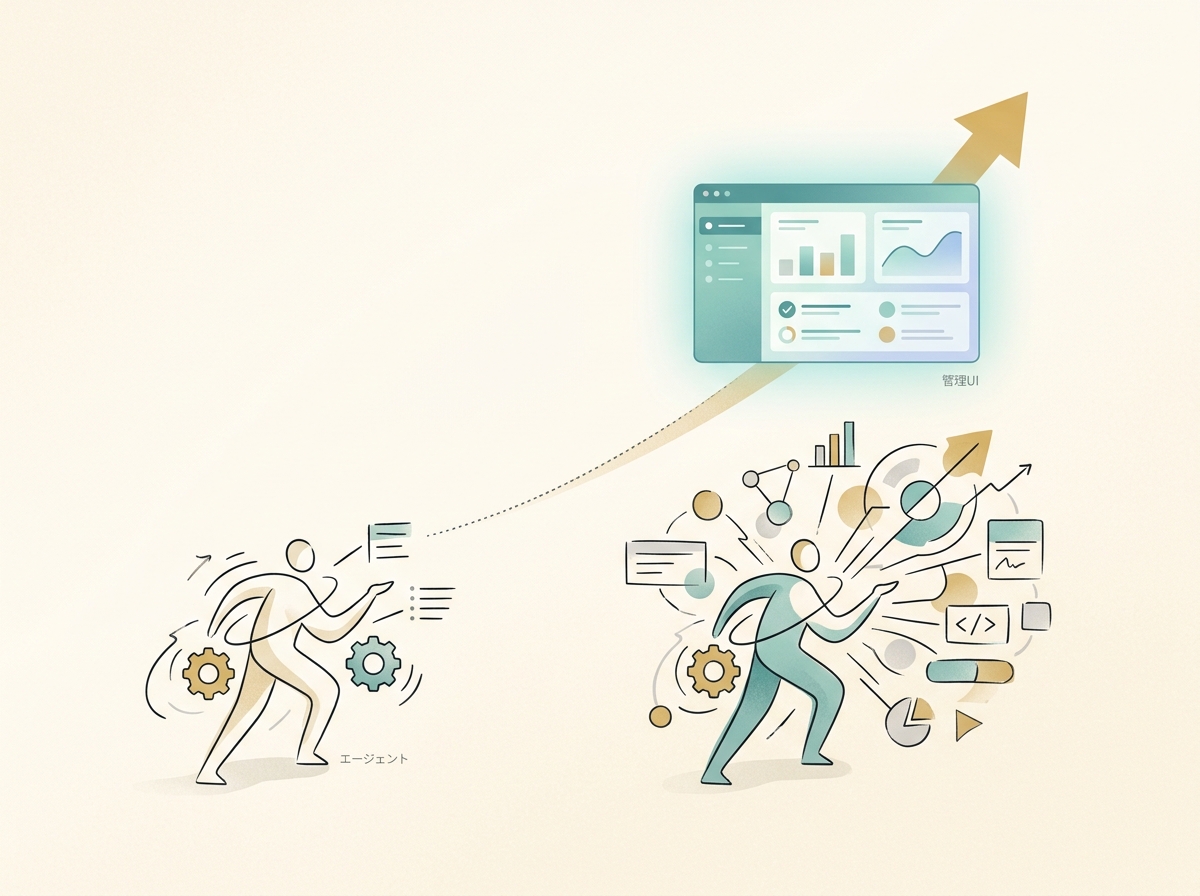
The assessment of "limited now but transformative once it evolves" strikes me as a balanced take — neither overly optimistic nor dismissive. Among early practitioners who've tested it in real work, this sentiment is widely shared.
Specific inflection points include:
- The range of tools and APIs agents can handle expanding
- The ability to compose multi-step tasks into a single workflow
- Agents becoming able to autonomously self-correct based on execution feedback
From my experience building KING CODING, a system for managing multiple agents in parallel will inevitably become necessary. Whether Cowork becomes the standard UI for that is uncertain, but the direction feels right.
What matters most is accurately understanding today's limitations while preparing for what's coming. Don't over-expect, but don't write it off either. That measured distance is the best stance to take right now.
SECTION 09
A Practical Decision Flow Summary
Finally, here's a decision flow for when you're unsure in practice. Based on my experience, thinking through these steps leads to smooth choices.
The first thing to check is whether the task follows the same procedure every time. If it's completely fixed, don't hesitate — build a program. Writing a script with Claude Code and running it via CLI is the most stable approach.
Next, check whether browser interaction is needed. For one-off tasks, asking Chrome in Claude on the spot is fastest. For recurring tasks, set up scheduled execution with Cowork.
Here's the full decision map:
- Fixed repetitive procedure → Programmatize with Claude Code
- One-off browser task → Instant request via Chrome in Claude
- Recurring task requiring judgment → Schedule management with Cowork
- Background parallel work → agent-browser (headless)
No single tool does everything. Identifying each tool's sweet spot and combining them is ultimately the most efficient approach. Trying to consolidate everything into one tool actually makes things less efficient.
How we work with AI agents is still uncharted territory. Finding the right combination for your specific workflow through experimentation — that process itself is the most valuable investment you can make right now.