
SECTION 01
When to Move Beyond Single-Agent Workflows
This article is not a feature walkthrough of Claude Code. It doesn't cover individual features like Skills, MCP, or Actions. Instead, it addresses the design question of how to divide roles among multiple agents and run them in parallel. This is for people already deep into Claude Code who are looking for the next step.
The sign that you've outgrown a single-agent workflow is when verification and management—not coding speed—become the bottleneck. AI dramatically speeds up writing code. But when the human tasks surrounding it—manual testing, infrastructure configuration—become the constraint, overall throughput hits a ceiling.
There was a period when I tried running multiple projects simultaneously to make use of wait times. While AI worked on Task A, I'd move Project B forward, then check A's results during B's downtime. In theory it's efficient, but in practice the cost of context-switching was far higher than expected, and my head turned to mush.
What I eventually settled on was focusing on a single project and delegating multiple tasks within it to AI in parallel. I run at most two projects at once, each on a separate screen. Keeping my mental resources concentrated yields higher total productivity.
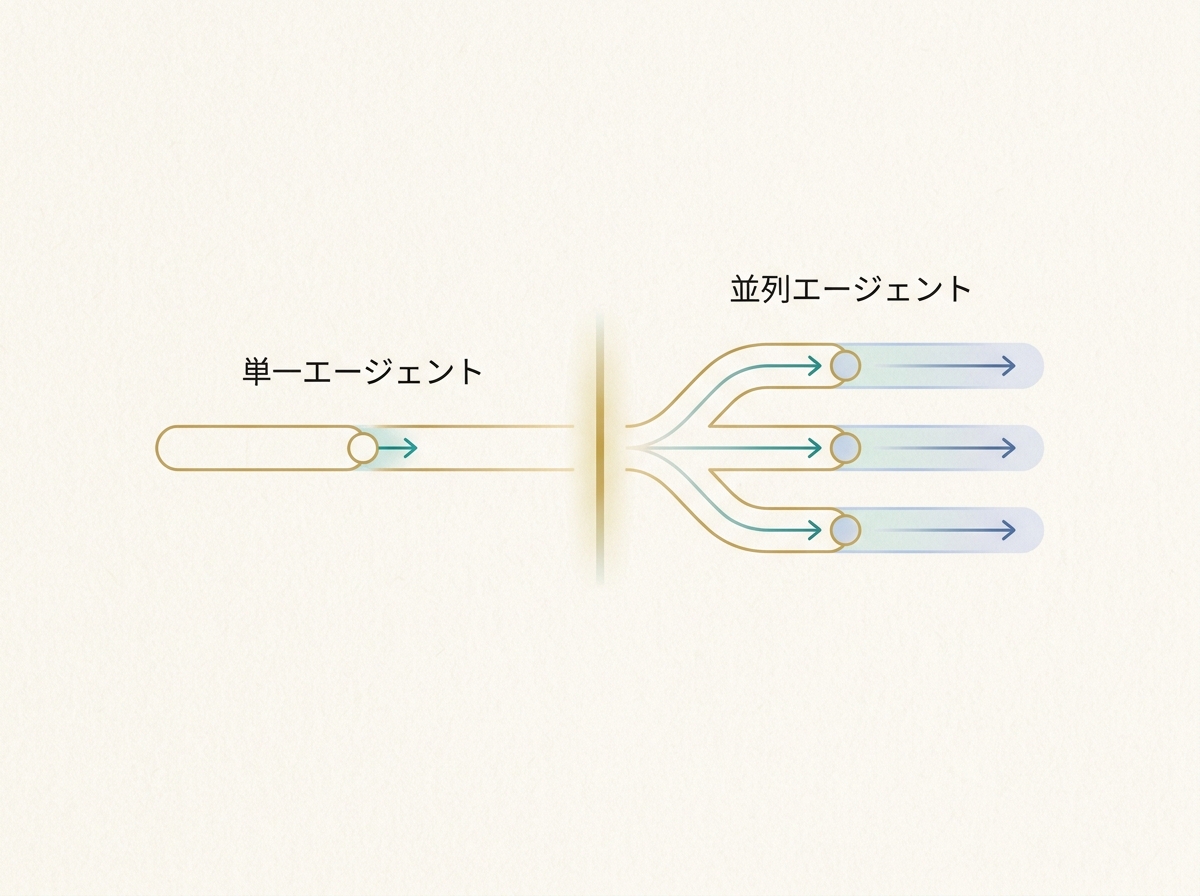
In other words, the unit of parallel development is not "project × project" but "task × task within a single project". Get this premise wrong, and management overhead spirals out of control. From here on, I'll focus specifically on how to design subagents within a single project.
SECTION 02
Responsibility Separation Patterns for Parent and Child Agents
The fundamental structure for stable parallel development is a separation where the parent agent handles "planning, branching, and approval" while child agents focus on "execution and reporting". The parent maintains the big picture; children concentrate on narrowly scoped tasks. Without this separation, it becomes unclear who decides what, and things fall apart quickly.
A practical role template breaks responsibilities into four domains. Requirements definition, implementation, review, and testing are each assigned to a separate child agent, with the parent agent controlling the task flow.
Here's how the responsibilities break down:
- Requirements Agent: Structures the user's intent and converts it into implementation specs
- Implementation Agent: Generates code according to specs and reports diffs
- Review Agent: Validates implementation results and lists issues
- Test Agent: Runs verification checks and logs results
The key insight here is that a scalable structure only emerges when you separate "the thinker" from "the doer". I create multiple repository clones on my local machine, assign each agent a task on a separate branch, and run them in agentic mode. Through this trial and error, I've experienced many times how accuracy drops the moment roles get mixed.
What I've described here—the parent directing while children execute—corresponds to Claude Code's official subagents. Subagents hold independent contexts within a single session and return summaries to the parent upon completion.
On the other hand, setups where multiple agents run in parallel and communicate with each other are officially categorized as agent teams. Agent teams are currently an experimental feature and operate on a different layer from subagents. Most designs in this article can be achieved as extensions of subagents, but when inter-agent communication becomes necessary, you'll need to consider agent teams or external orchestration.
The parent agent should also serve as an approval gate. It receives child agent results and decides whether to proceed to the next step. If you delegate this decision to children, quality checkpoints disappear.
SECTION 03
State Sharing and Structured Data Handoff Design
When multiple agents collaborate, the first thing to decide is the minimum unit of information passed between agents. You shouldn't pass everything—only the data the next step truly needs, such as file paths, diffs, and error logs, structured in a clear format.
The range achievable with Claude Code's built-in features is broader than you might expect. Write project rules and specs in CLAUDE.md, and it becomes shared context for all agents. Use Skills to templatize specific task patterns for child agents. Officially, there's even a context: fork option to run Skills as subagents, enabling task execution with independent context.
That said, built-in features have their limits. You'll need external mechanisms in cases like these:
- When you want to dynamically sync execution state between agents
- When task dependencies are complex with multi-level conditional branching
- When you need to automatically switch between retries and fallback paths on errors
The decision of whether to use an external framework comes down to "depth of branching" and "complexity of state management". If you're just chaining about three tasks in sequence, Claude Code alone is plenty. But once branching goes three levels deep or agents need to carry state between each other, it's time to consider a dedicated orchestration layer.
Standardizing handoff data in a structured format like JSON is a cardinal rule. Passing information as natural language increases the risk of the next agent misinterpreting it. For example, passing a "list of files that need fixing" as an array of file paths is far more reliable than describing it in prose.
SECTION 04
Designing Halt Conditions to Stop Infinite Loops and Ping-Pong Fixes
The first wall you hit after introducing subagents is infinite loops where AIs endlessly trade futile fixes. The implementation agent fixes code, the review agent flags issues, it gets fixed again, flagged again—this cycle can go on forever.
To prevent this, you need to design three halt triggers in advance:
- Maximum retry count: Set an upper limit, such as three retries max
- Zero-diff detection: Auto-stop if the same fix is repeated from the previous round
- Human intervention points: Design the system so AI asks a human when opinions diverge
What I learned through trial and error is that guardrails must come first for stability. Only after thoroughly building out rules, specs, and constraints can you approach a hands-off workflow. Providing "coding guidelines for AI"—design principles, naming conventions, and the like—noticeably reduces back-and-forth.
What's especially effective is designing the system so AI calls out to you when stuck. Explicitly state in child agent instructions: "If you're unsure about a decision, stop working and report what you're uncertain about." Having AI pause and ask rather than guess and proceed drastically reduces rework.
Halt conditions need to be tuned to the nature of the project. For greenfield development, allow more retries. For fixes close to production, escalate to a human after a single retry. Getting this balance right is what determines the stability of parallel development.
SECTION 05
Model Placement and Role-Based Selection Without Breaking the Budget
When running multiple agents, you need to accept that token consumption will more than double. Assigning the highest-performance model to every role will blow up costs in no time. The key is placing the right model for the right task based on difficulty.
The basic principle: assign Opus to judgment-heavy stages like planning and review, Sonnet to execution-oriented work like implementation, and Haiku to lightweight tasks. You can set models individually per subagent—sonnet / opus / haiku—enabling role-based allocation. Since a wrong direction in the planning phase derails everything, that's where you shouldn't cut costs.
The single most effective way to reduce token consumption is structuring handoff information. When prompts passed between agents contain unnecessary context, tokens bloat. Specifically, these practices help:
- Pass child agents only the information needed for their task
- Instead of entire files, pass specific functions or blocks being changed
- For error logs, pass only the relevant excerpts
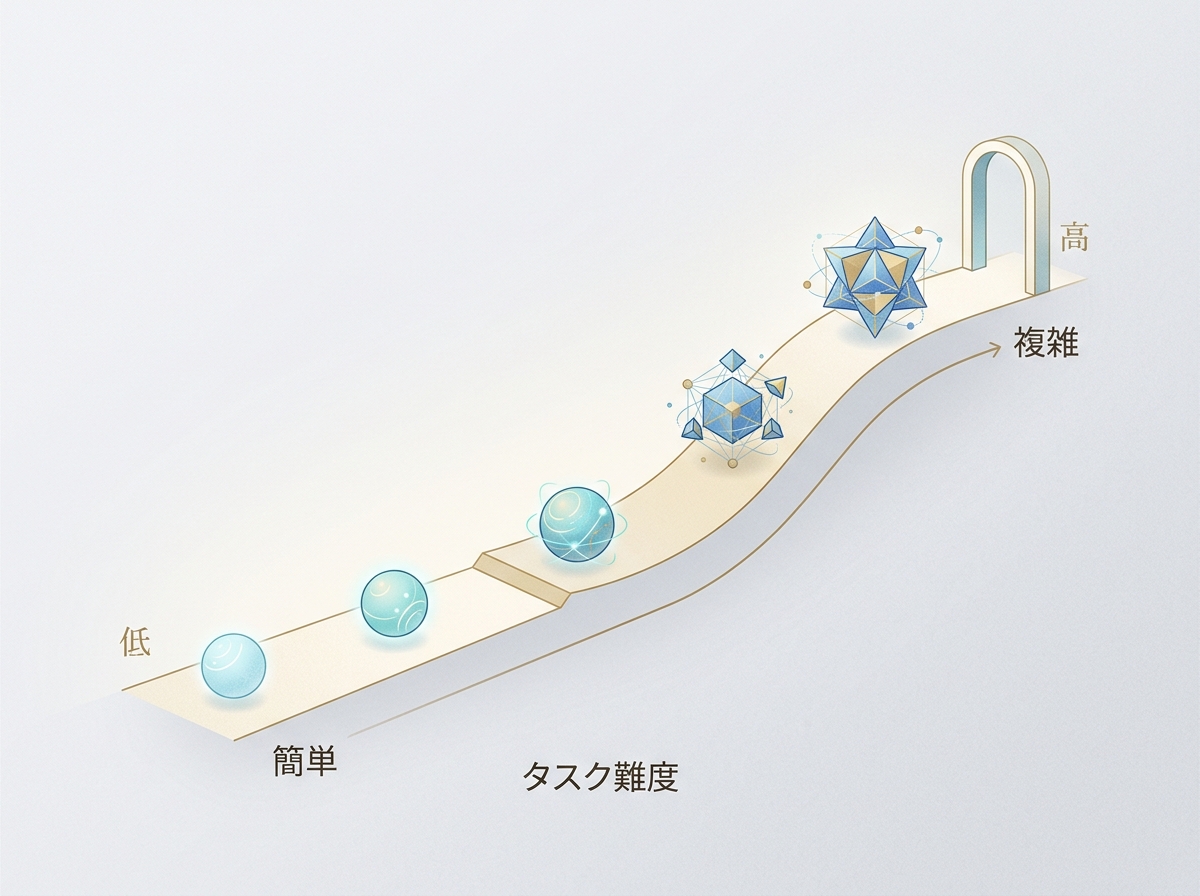
A more advanced approach is dynamic routing based on task difficulty. The parent agent evaluates the task and routes simple fixes to Haiku and complex logic changes to Opus. This raises implementation complexity but is ideal for balancing cost and quality.
That said, you don't need to build dynamic routing from the start. Begin with a static configuration assigning fixed models per role, observe the cost-quality balance, and optimize incrementally. That's the realistic path forward.
SECTION 06
Parallel Development Breaks Down Without a Control Tower
Once you start running agents in parallel, a new bottleneck appears: time melts away into the busywork of "checking progress". Which tasks are done? What is each agent doing right now? Just confirming this eats up your time.
Drawing on experience from building many services, I built a control-tower tool to eliminate this problem at the root. It supports Claude Code, Codex, and Cursor CLI, and lets you delegate and manage tasks in parallel on a per-project basis. It has built-in design for AI-automated code review and verification.
What motivated building this tool was my experience using an early autonomous AI engineer service. It often didn't work as expected, and I could never fully trust it. I wanted to recreate the experience I wished I'd had back then, with my own hands.
The functions a control tower needs can be summarized as follows:
- Task list management: See each agent's progress at a glance
- Automated review: Code review triggers automatically when changes come in
- Automated verification: Includes a verification flow integrated with browser automation
- Automatic model assignment: Selects the appropriate model based on task content
Without a control tower, parallel development creates the paradox where more agents means more management burden on the human. You adopted AI to boost productivity, yet AI management is eating your time. To avoid this trap, automating the management itself is essential.
SECTION 07
Design Principles for Rules Passed to Agents
The key to consistent subagent quality is the precision of rules provided upfront. When development, review, and verification each run on separate agents in a cycle, you must codify the standards each agent should follow—otherwise output quality varies wildly.
There's a knack to how you deliver rules, too. Don't hand over a massive document wholesale—extract only the rules relevant to that task. Extraneous information dilutes the agent's focus, causing it to overlook critical rules.
Here are examples of rules I've found genuinely effective:
- Naming conventions and coding style: Unify patterns for file names, variables, and functions
- Prohibited patterns: Explicitly state libraries or coding practices to avoid
- Reporting format: Specify what to return and in what format upon task completion
The takeaway is that AI instructions need something like "coding guidelines" too. Maintaining design consistency, avoiding unnecessary explanations—providing these granular rules upfront noticeably reduces back-and-forth.
Ideally, rules should be written in CLAUDE.md or Skills so all agents can reference them. However, since review rules and implementation rules have different perspectives, splitting them into separate files per role makes operations smoother.
SECTION 08
The Boundary Between Claude Code Built-in Features and External Frameworks
When building a subagent setup, how far to go with Claude Code alone versus when to bring in an external framework is a common dilemma. The short answer: for most solo developers and small teams, Claude Code's built-in features are more than enough.
Combining Claude Code's Skills and CLAUDE.md covers task templatization, distributing shared rules, and launching subagents. MCP enables connections to external APIs and tools, and for straightforward parallel setups, that's all you need.
External frameworks become necessary in situations like these:
- When state transitions between agents are complex and require flowchart-style management
- When you need to automate processes that span multiple APIs or services
- When you need fine-grained control over retries and fallbacks on errors
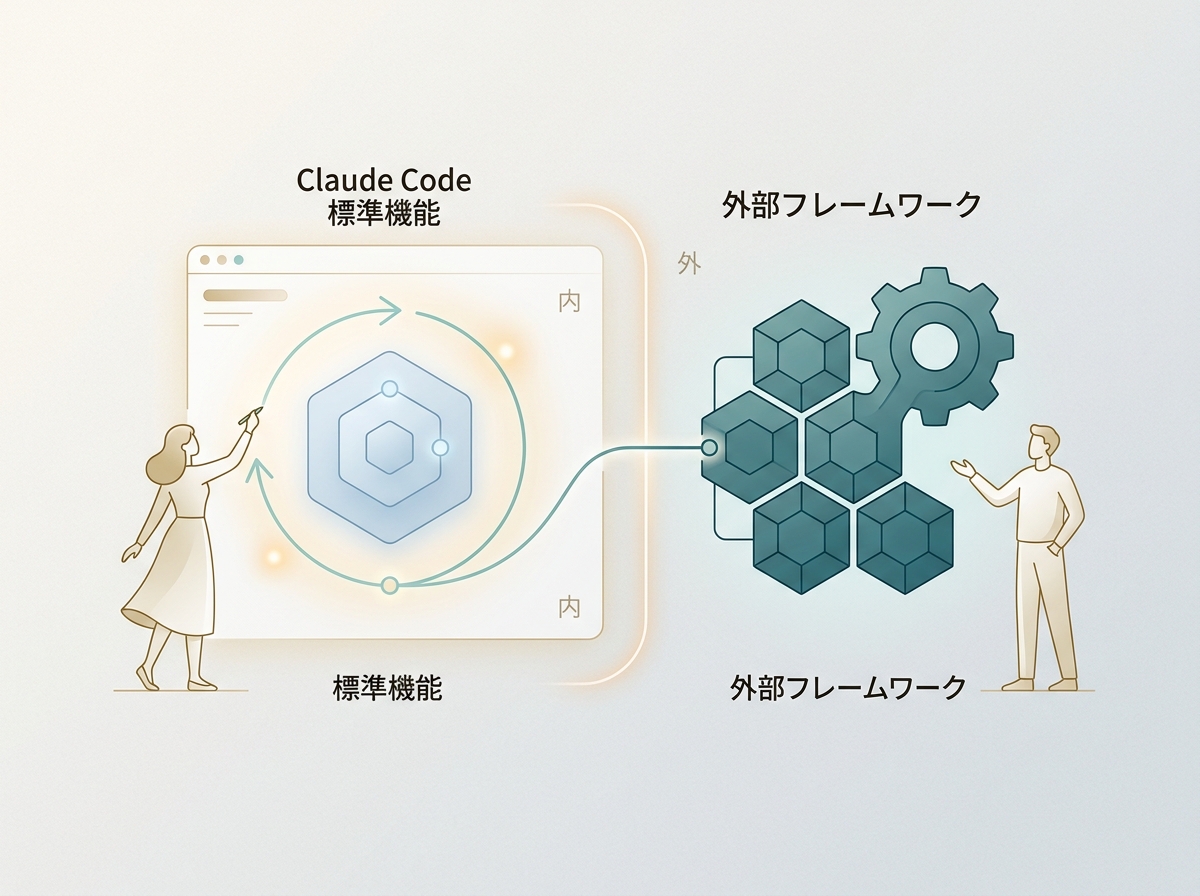
The deciding factor is "whether your current setup is still manageable". As long as tasks flow smoothly with CLAUDE.md and Skills, there's no need to bolt on external tools. When management can't keep up, or conditional branching becomes impossible to track manually—that's when it's time to consider an orchestration layer.
SECTION 09
Practical Workflow: Running a Single Feature Addition in Parallel
Let's translate the design theory covered so far into a concrete workflow. Here's a step-by-step look at how a single feature addition gets processed through parallel agents.
First, the parent agent decomposes the requirements. Given a request like "add a user profile editing feature," it splits it into four tasks: API design, frontend implementation, validation logic, and test creation. Tasks without dependencies are dispatched to child agents simultaneously.
Each child agent completes implementation within its scope and returns results as structured data. The return format is defined in advance:
- Changed files list: Returned as an array of paths
- Implementation summary: Bullet points describing what was changed and how
- Unresolved concerns: Any points of uncertainty are explicitly noted
The parent agent receives the results and sends them to the review agent for validation. If the review passes, changes are integrated. If issues are flagged, they're sent back to the implementation agent. This loop is capped at three rounds max—beyond that, a human is consulted.
Finally, the test agent runs verification. By combining Playwright-based MCPs or browser automation environments, you can even run screenshot-verified checks. Note that this isn't a standard Claude Code feature alone—it assumes integration of extension layers like MCP. With this entire flow running automatically, human involvement is limited to the initial requirements review and final approval.
SECTION 10
The Next Phase: A Future Where AI Takes the Lead in Parallel Development
Everything so far has followed a model where humans design and AI executes. But in the next phase, I believe the direction is handing initiative to AI. The goal is for humans to handle only the initial decision-making and checkpoints along the way.
What I'm specifically experimenting with is a flow where I brainstorm with AI through dialogue, and once the direction is set, AI creates the plan and drives development forward. Even the dialogue with the developing AI is delegated to AI. Until now, it felt like I was leading and skillfully using AI—but I'm testing what happens when I hand over a bit more of that initiative.
Realizing this flow requires three elements:
- A mechanism to extract issues from dialogue and auto-generate tasks
- Routing that automatically assigns the right model to each task
- Automated validation of results, with escalation to humans when needed
From "the era of using AI" to "the era of orchestrating AI". Beyond just delegating coding, the entire cycle of planning, execution, and verification runs under AI leadership. Humans design the control tower and oversee only the critical junctures. This is the next development style that lies on the extension of parallel development.
Of course, we can't hand over everything right now. The priority is stabilizing your current development with the design patterns introduced in this article. Only with a solid parallel development foundation does AI-led development come into view. Taking it one step at a time, without rushing, is ultimately the shortest path.